Best Devices for IPTV Streaming in 2026
Selecting the right device makes a bigger difference to your IPTV streaming experience than most people expect. The same subscription will look noticeably better on a Shield TV than on a five-year-old budget Android box, and the difference shows up in startup time, channel-switching speed, 4K decoding, and how the app handles long viewing sessions.
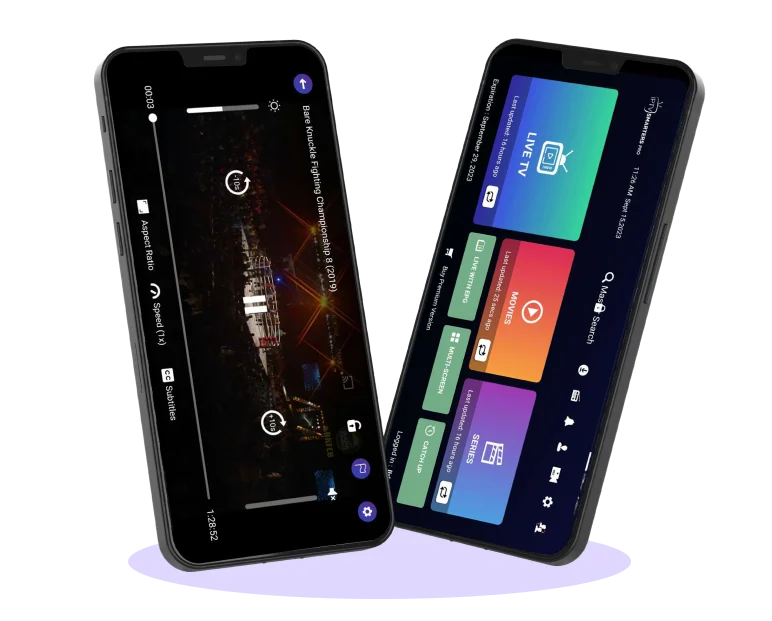
This IPTV guide covers our top device recommendations for 2026, organized from least to most expensive, with honest notes on which device fits which kind of user. All of the devices listed below run IPTV Smarters Pro (or the equivalent Smarters Player Lite on iOS) and deliver reliable HD and 4K IPTV playback.
1. Smart TVs (Samsung, LG, Sony, Hisense, TCL)
Modern Smart TVs have built-in app stores where you can install IPTV Smarters Pro directly — no additional hardware required. Samsung Tizen (2017 onwards) and LG webOS (2016 onwards) deliver smooth performance with full 4K support. Sony, Hisense, and TCL TVs running Android TV or Google TV install IPTV Smarters via the Google Play Store and benefit from regular app updates.
Best for: viewers who want an all-in-one setup with no extra hardware on the TV stand. Watch-outs: older Smart TVs (2014–2015) may not get app updates, and processor speed varies a lot between budget and premium TV lines — a budget Smart TV from 2020 may stutter on heavy 4K streams.
2. Amazon Fire TV Stick 4K and Fire TV Stick 4K Max
The Fire TV Stick 4K Max is, for most people, the best price-to-performance device for IPTV in 2026. It's roughly $50, supports 4K HDR, Dolby Vision, and Dolby Atmos, has Wi-Fi 6, and runs IPTV Smarters Pro smoothly. Sideloading is straightforward via the Downloader app.
Best for: upgrading older TVs or replacing a sluggish built-in Smart TV interface. Watch-outs: the Fire TV interface is ad-heavy and Amazon-curated; if that bothers you, an Android TV box or Apple TV will feel cleaner.
3. NVIDIA Shield TV and Shield TV Pro
For power users who want top-tier performance, the Shield TV (and especially the Shield TV Pro) is the premium choice. Its Tegra X1+ processor, Dolby Vision and Dolby Atmos support, AI-enhanced upscaling, and smooth 4K streaming make it ideal for demanding IPTV setups, retro gaming, and Plex hosting in the same box.
Best for: enthusiasts who use their TV setup heavily and want one device to handle everything. Watch-outs: the price (~$200) is steep compared to a Fire Stick, and unless you're using the extras (gaming, Plex server, AI upscaling), you may not see the value.
4. Apple TV 4K (2022 or newer)
Apple TV 4K runs Smarters Player Lite from the App Store and delivers an exceptionally polished interface, fast tvOS updates, and consistent performance. Picture handling and audio routing are particularly clean. If you're already in the Apple ecosystem — AirPlay, HomeKit, HDR colour calibration with iPhone — Apple TV 4K is the most seamless choice.
Best for: iPhone/iPad/Mac households that want everything to work together. Watch-outs: it's the most expensive mainstream streamer (~$130–$150), and tvOS imposes some restrictions other platforms don't have.
5. Android TV Boxes (Formuler, Xiaomi, Mecool)
Budget-friendly Android TV boxes offer excellent value if you choose carefully. Look for devices with at least 4 GB of RAM running certified Android TV (not stock Android repackaged) and a recent Amlogic or Allwinner chipset. Formuler Z11 Pro Max, Xiaomi Mi Box S 2nd Gen, and the Mecool KM7 line are reliable IPTV-friendly options in 2026.
Best for: IPTV-first users who want a TV-optimized interface without paying Shield TV prices. Watch-outs: there are dozens of generic Android boxes on Amazon and AliExpress with misleading specs — stick to brand-name boxes with active firmware updates.
6. MAG Boxes (MAG 524, MAG 524W3, MAG 525)
MAG boxes are dedicated IPTV set-top boxes that run their own Linux-based STB OS. They're not as versatile as Android TV boxes, but they are rock-solid for IPTV — fast channel switching, simple interface, and easy for non-technical family members. The MAG 524 and 525 lines support 4K.
Best for: households that watch primarily live TV and want a no-frills, dedicated IPTV box that feels like a traditional set-top experience.
7. Mobile Devices and Computers
IPTV Smarters Pro works seamlessly on Android phones and tablets, iPhone and iPad (as Smarters Player Lite), Windows PCs, and macOS. Watch on the go, use your laptop as a secondary screen, or cast from phone to TV when you don't have a streamer set up. These aren't the primary recommendation for the living room but they're great companion devices.
How to Choose: A Quick Decision Framework
If you're on a tight budget and have an older TV: Fire TV Stick 4K Max. If you already have a modern Samsung, LG, Sony, Hisense, or TCL TV: just use the built-in app — there's no need to buy extra hardware. If you want the smoothest, most polished living room experience: Apple TV 4K or NVIDIA Shield TV. If you watch primarily live TV and want a dedicated set-top box: MAG 524 or 525. If you want an Android TV box but don't want to pay Shield TV prices: Formuler Z11 Pro Max.
What Internet Speed Do You Need?
For SD streaming, 5 Mbps is plenty. For HD (1080p), 10–15 Mbps. For stable 4K with HDR, aim for 25 Mbps or better, and prefer Ethernet over Wi-Fi where possible. If you have multiple TVs streaming simultaneously, multiply accordingly.
Final Thoughts
The single most important factor in IPTV streaming quality is your subscription — a good provider on a Fire Stick beats a bad provider on a Shield TV. But once your subscription is solid, the device determines whether the experience feels polished or sluggish. The recommendations above are the devices our team and customers actually use, day in and day out.
If you don't yet have an IPTV subscription, check our pricing tiers — they range from $15/month for a single device to multi-device family plans.